info
Work in progress, will document here my tips and tricks for car racing. Computer simulation is cheap or can be expensive, but it could be a tool.
tips
You don’t need anything to enjoy car racing, you can play on a XBOX. These tips apply if you want to seriously make it close to the reality and want to use it as a tool, you need a personal computer, running Windows 11.
“Invictus” car racing simulator
Hardware
I went the MOZA route as it is a bit cheaper and as good as Fanatec. You can mix both brand as well.
- 140.- Moza SPG Sequential Shifter
- 473.- Moza CRP Premium Load-Cell Pedalset
- 106.- Moza HBP Handbrake
- 565.- Moza R12 Direct Drive Wheelbase (12 Nm)
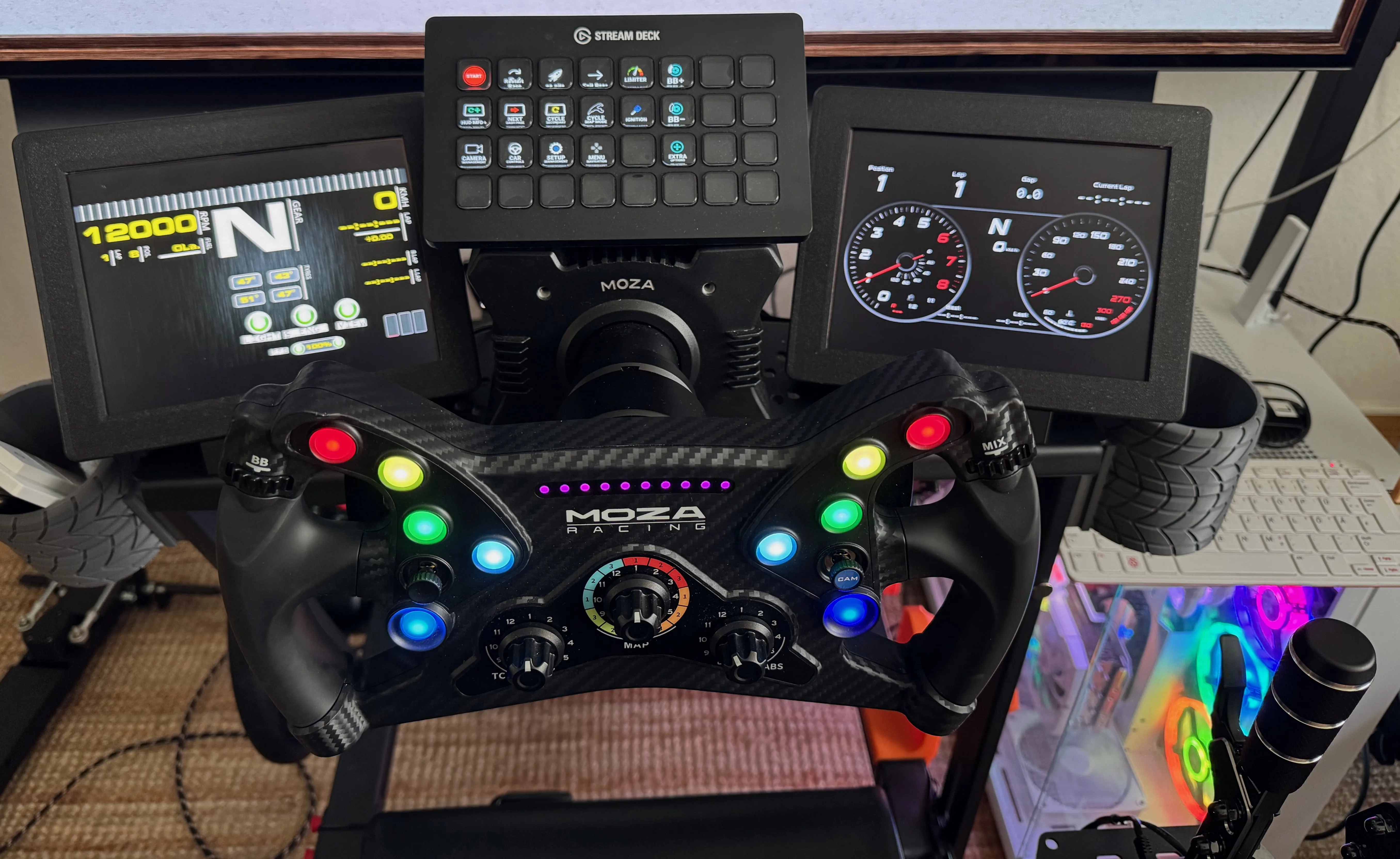
- 285.- Moza KS GT
- 450.- Next Level Racing simulation rig
Software
- SimHub - https://www.simhubdash.com - Free or a few euros
- Content manager - https://assettocorsa.club/content-manager.html - Free
Games
- Assetto Corsa
- DCS World Steam Edition FREE
- Forza Horizon
- Forza Motorsport
- Liftoff
DIY racing panels
You can use cheap Raspberry Pi Touch Display in ALL your favorite car racing simulator!
You will need:
- Raspberry Pi Touch Display or non touch (cheaper) with HDMI input
- Raspberry pi 3,4 or 5 the cheapest with WIFI you can find
- Software SimHub free or license (it is cheap)
- Software Raspberry pi imager
How to
- Connect Raspberry Pi to LCD with HDMI
- Use rapsberry pi imager to install FullpageOS (Other specific purpose OS - Digital signage and kiosks - FullpageOS) on a new SDcard
- Boot the pi and wait till the welcome page of FullPageOS is displayed
- Start SimHub and create a panel for each LCD screen, open in web browser to get the URL in the form of http://192.168.1.9xx:8888/remotecontrolleddash.html?targetDeviceId=016d77c7-cb40-4efe-9295-76efc58f0773 Every panel should have its own SimHub device. This is the URL you need to paste in the FullPageOS file
- Insert the SDcard in your PC and replace content of files fullpageos.txt and fullpagedashboard.txt with that URL
- Put back in PI and boot! you can now drive the panel display using SimHub!